


Burrito Craft
Minecraft
5






Introducing Burrito Craft
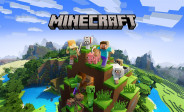
Burrito Craft is a creative multiplayer sandbox game inspired by Minecraft features. In this game, building structures, gathering materials, and exploring the block-based universe will require you to use your imagination. Burrito Craft offers a relaxing building experience with colorful environments and easy controls for players who love creativity and exploration.
Basic Movement Controls
Moving the World
To explore the world and move between different locations, you use standard keyboard commands.
- W key to move forward
- S key to move backward
- A key to move left
- D key to move right
These keys make it easy to move through open spaces, caves, and forests.
Jump and Sprint
Additional actions can increase movement speed.
- Spacebar: Climb blocks or jump over obstacles
- Shift: Move stealthily or cautiously near edges.
- Press W twice for a faster sprint.
You can travel longer distances faster by using sprints.
Tips for Mastering Burrito Craft Controls
- Practice initial movements: Take time to learn how to move, jump, and turn smoothly. Exploration will be much easier thanks to fluid movement.
- Keep essential tools in the quick-access toolbar: For easy switching, place tools like pickaxes, swords, and building blocks in quick-access slots.
- Use the Shift key near edges: To avoid falling off blocks when building tall structures, use the Shift key.
- Adjust mouse sensitivity: You can increase accuracy while building by adjusting the sensitivity in the options menu.
Why is Burrito Craft so popular?
Burrito Craft has become popular in the online gaming community because it combines simple gameplay, creative building options, and familiar sandbox aspects. Because it appeals to both casual players and block-building game enthusiasts, the game is very popular in the browser gaming community.
Categories & Tags









Discuss: Burrito Craft