


Parkour Block
Minecraft
5

Introduction to Parkour Block
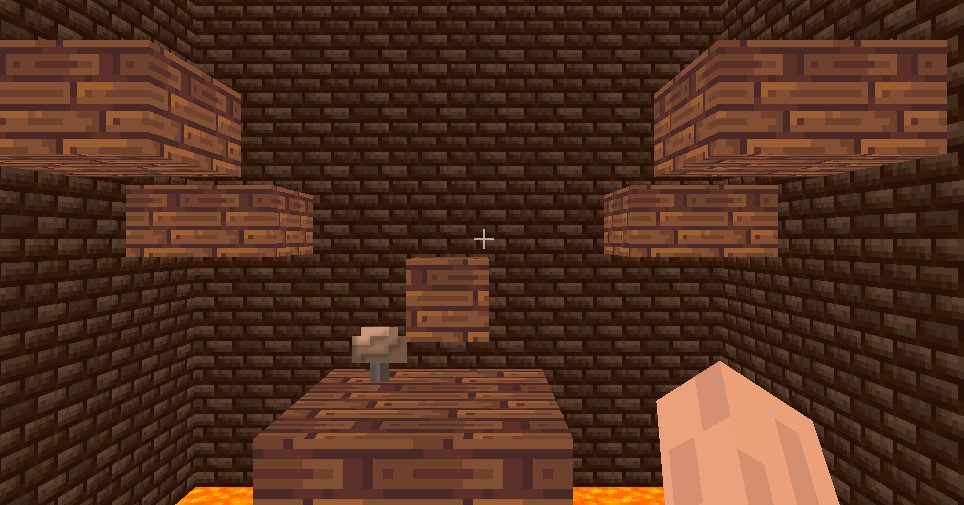
Parkour Block is a first-person platformer game inspired by the classic parkour graphics and gameplay of Minecraft. The main objective is simple: just reach the teleportation gate at the end of each level, avoid falling, and jump across floating blocks. While the controls are easy to learn, mastering timing and movement can become more difficult as the levels progress.
Basic Parkour Block Controls
Keyboard Controls
Most versions of Parkour Block use the following standard controls:
- W, A, S, D — Move character
- Spacebar — Jump
- Mouse — Look around
- Shift — Slow down or carefully balance
- Esc — Pause game
The controls are similar to Minecraft, making it easy to get used to the game.
Mobile Device Controls
On mobile devices, you typically have:
- A virtual joystick for movement.
- On-screen jump button.
- Swipe controls to move the camera.
Moving on a touchscreen can be more difficult than using a keyboard, so practice is crucial.
Tips and Strategies for Success
- Before you start playing, take time to observe the entire path. Plan your route and don't rush.
- Use visual cues, such as block size and character position, to estimate distances. You can become more proficient at spotting gaps with practice.
- Be careful of constantly moving edges but also be prepared to change direction.
- Minimize deaths and finish quickly to earn three stars. The best sprints and jumps are combined by speed players.
- To improve your skills before conquering more difficult levels, replay completed levels or easier levels.
Why play Parkour Block?
This is a free, unlimited, and fun skill game, ideal for short play sessions or competitive star hunts. The first-person perspective adds drama and realism, while the Minecraft-like blocky world graphics will appeal to enthusiasts. You can play Parkour Block in your browser without downloading. So, it's a great option for you.
Categories & Tags



Discuss: Parkour Block